
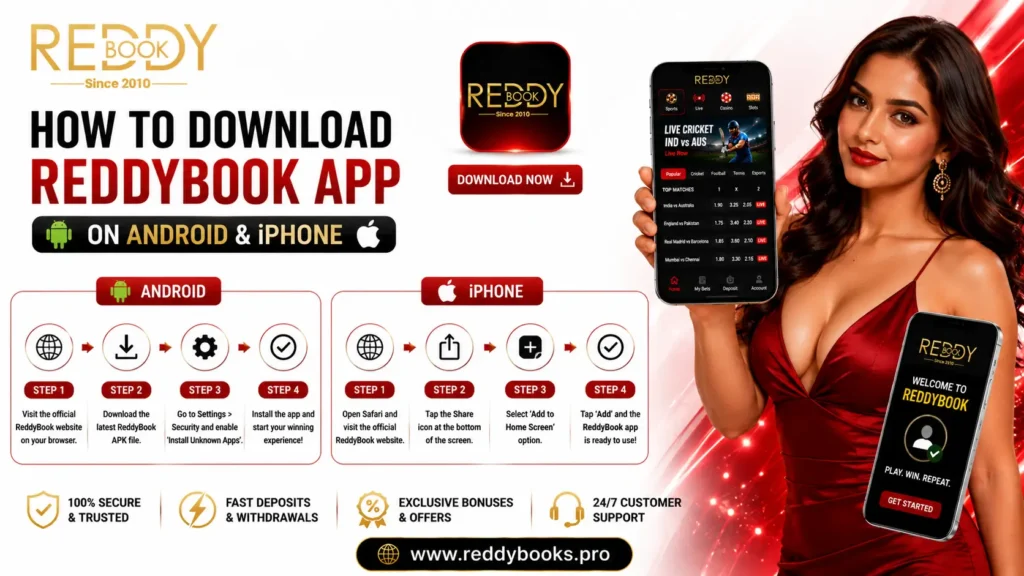
Today, most users prefer accessing online platforms through their smartphones rather than desktop computers. Whether checking live sports markets, browsing casino games, or managing an account, mobile devices offer greater flexibility and convenience. As a result, one of the most common questions new users ask is how to download the ReddyBook app safely.
This guide explains how to access the ReddyBook app on Android and iPhone, what to expect during installation, common download issues, and the best practices for secure mobile access. Rather than covering every platform feature, this article focuses specifically on helping beginners download and use the app with confidence.
Why Use the ReddyBook App?
For many users, mobile has become the primary way to access online platforms. Instead of waiting until they are at a desktop computer, users often want the flexibility to check sports markets, browse casino categories, or manage their accounts wherever they are.
The ReddyBook app is designed to support this mobile-first experience by providing a responsive interface that adapts to different screen sizes while maintaining a consistent layout across supported devices.
From a usability perspective, a dedicated mobile experience also reduces the need to zoom, resize pages, or navigate desktop-oriented layouts. This makes everyday tasks such as switching between different platform sections faster and more intuitive.
If you’re new to the platform, reading the What Is ReddyBook? Complete Beginner’s Guide first will help you understand how the overall ecosystem works before installing the mobile app.
Android vs iPhone: What’s the Difference?
Although both Android and iPhone users can access ReddyBook, the installation experience is not always identical. Understanding these differences before downloading the app helps users choose the most suitable access method for their device.
| Feature | Android | iPhone |
|---|---|---|
| Mobile App | ✅ Supported | Browser-based access |
| Installation | Direct APK installation | No APK installation required |
| Mobile Experience | Optimized | Optimized |
| Updates | Latest APK version | Browser updates automatically |
| Device Compatibility | Android smartphones & tablets | Safari and Chrome on iPhone |
The important difference is that Android users typically install the application directly, while iPhone users generally access the platform through supported mobile browsers. Despite this difference, both experiences are designed to provide similar navigation and functionality.
How to Download the ReddyBook App on Android
Android users can install the ReddyBook app by following the official download process. Before downloading any application, it is important to ensure that the installation file comes from an official platform source rather than an unknown website.
Step 1: Visit the Official Source
Open the official ReddyBook App page and locate the latest Android application.
Using the official download source helps reduce the risk of installing outdated or modified application files.
Step 2: Download the Latest APK
Select the latest available Android APK version and allow the download to complete.
Before opening the file, confirm that the download has finished successfully and that sufficient storage space is available on your device.
Step 3: Allow Installation (If Required)
Depending on your Android device and operating system version, you may need to temporarily allow installations from trusted sources before installing the application.
Follow the instructions displayed on your device, complete the installation, and then restore your preferred security settings if necessary.
Step 4: Open the Application
After installation is complete, launch the app and proceed with your verified account credentials.
If you have not yet obtained platform access, you should first complete the official onboarding process before attempting to sign in.
How to Access ReddyBook on iPhone
Unlike Android devices, iPhones generally do not require a separate APK file for platform access. Instead, users can access ReddyBook directly through supported mobile browsers such as Safari or Chrome.
This browser-based approach offers a consistent experience while eliminating the need for manual application installation.
Access Steps
- Open Safari or Chrome.
- Visit the official ReddyBook website.
- Sign in using your verified account.
- Add the website to your Home Screen if you prefer quicker access.
Adding the website to your Home Screen creates an app-like shortcut, making future access more convenient without requiring a dedicated installation.
Before Downloading the App
Before installing the ReddyBook app or accessing the platform through your mobile browser, it is worth taking a few moments to verify that you are using the correct source.
Many download-related issues occur because users install files from unofficial websites rather than the official platform.
✅ Mobile Download Checklist
- Download only from official ReddyBook sources.
- Check that your device has enough available storage.
- Keep your Android operating system or iPhone browser updated.
- Use a stable internet connection during download.
- Avoid downloading APK files from unknown third-party websites.
- Keep your login credentials private after installation.
These simple checks help create a safer installation experience while reducing the likelihood of common mobile issues.
Common App Download Problems
Most installation problems are caused by routine technical issues rather than faults with the application itself. Identifying the cause first usually leads to a quicker solution.
| Problem | Possible Solution |
|---|---|
| APK not downloading | Check internet connection and available storage. |
| Installation blocked | Verify Android security settings and trusted installation permissions. |
| App won’t open | Restart the device and ensure the latest version is installed. |
| Slow download | Switch to a stronger Wi-Fi or mobile network. |
| Login after installation fails | Verify account credentials and review the ReddyBook Login guide for additional assistance. |
Rather than repeatedly downloading the application, resolving the underlying issue is usually the fastest way to complete the installation successfully.
Why Official Downloads Matter
One of the biggest mistakes new users make is downloading application files from unofficial websites because they appear higher in search results or promise faster downloads.
From both a security and usability perspective, using the official platform source provides several advantages:
- Greater confidence that you’re installing the latest available version.
- Reduced risk of modified or outdated installation files.
- Better compatibility with current platform updates.
- Easier access to official guidance if assistance is required.
These small precautions help ensure that your first experience with the ReddyBook mobile platform is both secure and reliable.
Mobile App vs Mobile Browser: Which Option Is Better?
One question many first-time users ask is whether they should install the ReddyBook app or simply access the platform through their mobile browser. The answer largely depends on the device being used.
Android users generally benefit from the dedicated app experience, while iPhone users can access the platform smoothly through supported browsers such as Safari or Chrome. Both options are designed to provide a consistent interface, allowing users to navigate the platform comfortably without sacrificing functionality.
Rather than thinking of one option as “better,” it’s more accurate to choose the method that best matches your device.
| Feature | Android App | Mobile Browser (iPhone) |
|---|---|---|
| Installation Required | ✅ Yes | ❌ No |
| Quick Home Screen Access | ✅ Yes | ✅ Add to Home Screen |
| Mobile Optimized | ✅ Yes | ✅ Yes |
| Regular Updates | Latest APK | Browser-based |
| User Experience | Smooth navigation | Smooth navigation |
From a usability perspective, both approaches are designed to deliver a similar experience. The difference lies mainly in how users access the platform rather than how they interact with it.
Tips for a Better Mobile Experience
Installing the application is only the first step. A few simple practices can help ensure smoother performance and reduce the likelihood of technical issues during everyday use.
✅ Mobile Optimization Checklist
- Keep the app or browser updated to the latest version.
- Use a stable Wi-Fi or mobile data connection.
- Close unnecessary background applications to improve performance.
- Maintain sufficient free storage on your device.
- Restart your device occasionally after major operating system updates.
- Download new app versions only from official ReddyBook sources.
- Bookmark the official website if you primarily use a mobile browser.
These small habits often improve stability and provide a more consistent user experience over time.
Common Mistakes to Avoid
Many app-related problems are not caused by the application itself but by avoidable user mistakes. Understanding these issues before downloading can help create a smoother installation process.
❌ Avoid These Mistakes
- Downloading APK files from unofficial websites.
- Installing outdated application versions.
- Ignoring operating system or browser updates.
- Using unreliable internet connections during installation.
- Sharing your login credentials with other individuals.
- Attempting to install incompatible application versions.
- Skipping official installation instructions.
Following official guidance reduces unnecessary troubleshooting later and helps ensure that you’re using the latest supported version of the platform.
Mobile Security Best Practices
Mobile convenience should never come at the expense of account security. Whether you use the Android app or browser access on iPhone, protecting your account remains equally important.
✅ Security Checklist
- Download the app only from official platform sources.
- Keep your username and password confidential.
- Avoid logging in through unknown websites or suspicious links.
- Use secure internet connections whenever possible.
- Log out after using shared devices.
- Keep your operating system and browser updated.
- Contact official support if you notice unusual account activity.
Users who follow these practices generally experience fewer account-related issues and benefit from a safer overall mobile experience.
Practical Insight for First-Time Users
One of the biggest misconceptions among new users is that installing the app automatically provides platform access. In reality, the application is simply a way to access your account on a mobile device.
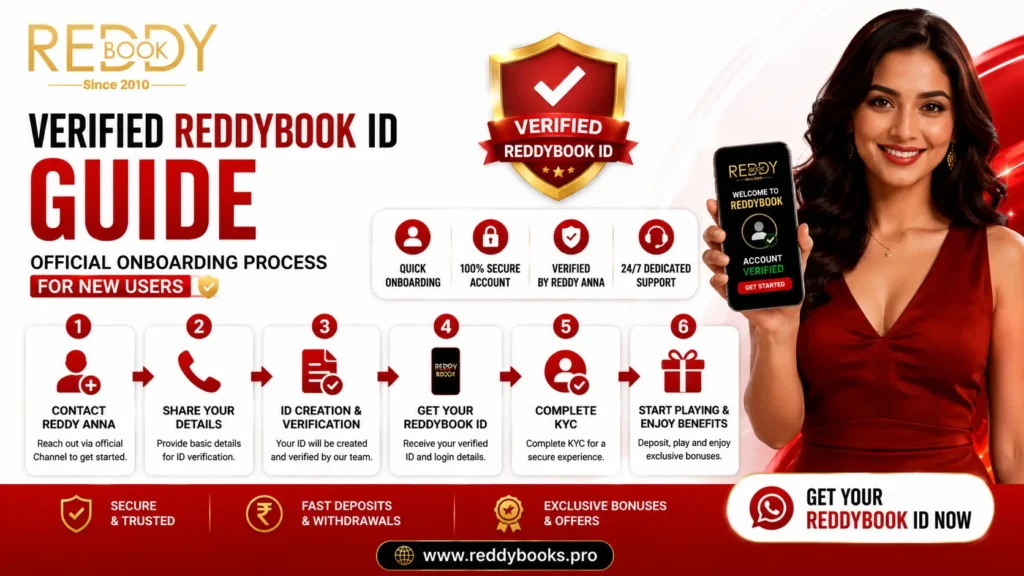
A verified ReddyBook ID is still required before you can successfully log in. Understanding this distinction helps prevent confusion during setup and ensures that users complete the onboarding process before attempting to access the platform.
From an experience perspective, users who first understand how the platform works and then install the application tend to complete the setup process more smoothly. They are also less likely to encounter avoidable login or installation issues because they already know which official resources to use.
Frequently Asked Questions
1. How do I download the ReddyBook app?
Android users can download the latest application from the official ReddyBook App page. iPhone users can access the platform directly through supported mobile browsers.
2. Is the ReddyBook app available for Android?
Yes. Android users can install the latest APK version through the official download source.
3. Can I use ReddyBook on my iPhone?
Yes. ReddyBook supports iPhone users through mobile browsers such as Safari and Chrome, providing a responsive mobile experience without requiring a separate APK.
4. Why won’t the ReddyBook app install?
Installation issues may occur because of insufficient storage, Android security settings, incomplete downloads, or unsupported device software. Following the official installation steps usually resolves these issues.
5. Is it safe to download the app from any website?
No. Always download the application from the official source to reduce the risk of installing outdated or modified files.
6. Do I need a ReddyBook ID before using the app?
Yes. A verified account is required before you can access the platform through the mobile application or browser.
7. What should I do if I cannot log in after installing the app?
First, verify your account credentials. If the issue continues, review the ReddyBook Login guide or contact ReddyBook Customer Support for assistance.
8. Does the app receive updates?
Yes. Android users should install the latest available APK version from the official source to benefit from performance improvements and compatibility updates.
Final Thoughts
The ReddyBook app provides a convenient way for eligible users to access the platform from their smartphones while maintaining a responsive and user-friendly experience. Whether you use the Android application or access ReddyBook through your iPhone browser, choosing the official platform source and following recommended installation practices helps create a smoother and more secure experience.
For first-time users, the most effective approach is to obtain a verified account, install or access the platform through official channels, and familiarize yourself with the basic features before exploring the broader ReddyBook ecosystem. Taking these simple steps can help reduce common setup issues and make mobile access more straightforward from day one.

Pingback: Complete ReddyBook User Guide: From Account Access to Responsible Gaming